
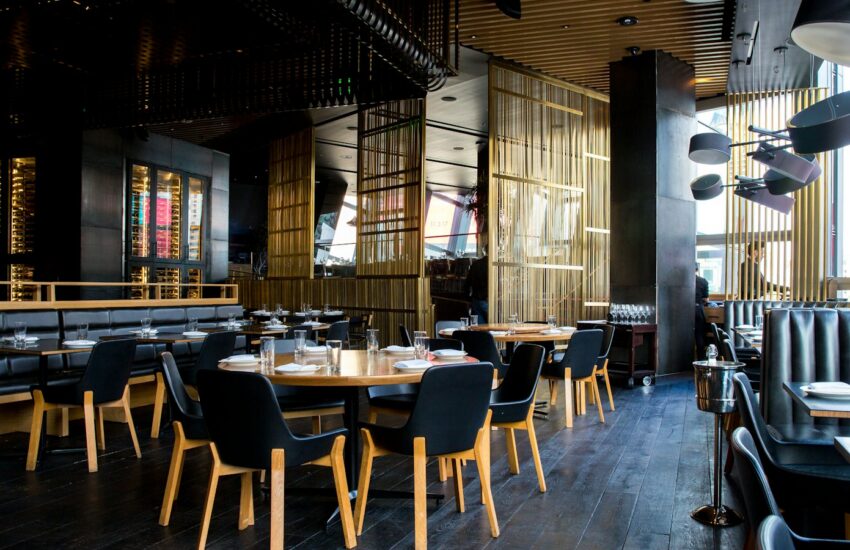
Most restaurant websites fail in the same four places: the menu is hard to read or out of date, ordering sends people to a third-party app with no branding, Google cannot tell what you serve or where you are, and social accounts exist but never drive reservations or takeout. The kitchen can be excellent and the site still loses diners before they ever see a plate.
XPStudios has built and refreshed restaurant sites since 2009, including long-term partners like Irie Caribbean in Woodbridge, VA and Da Jerk House in Morningside, MD. The pattern is consistent: fix the menu experience, connect ordering to how you actually run the business, tighten local search, and make social point back to the site—not a random link in bio.
Use this checklist before you redesign, after a concept change, or when covers flatline even though foot traffic on the block looks fine.
Who this checklist is for
This is written for independent restaurants, fast-casual concepts, catering-heavy kitchens, and multi-location groups that rely on local search and repeat guests. If you are on a Clover, Wix, or stock template and guests still ask “what’s on the menu?” after they have been to your Google listing, you are losing money on friction you can fix.
You do not need a massive budget. You need the right order of operations: menu clarity first, then findability, then ordering paths, then social proof loops.
The foundation: what every restaurant page must do in five seconds
Before menus and Instagram, the homepage (and every landing page) must answer five questions immediately:
- What kind of food is this?
- Where are you, and are you open right now?
- How do I order or reserve?
- Why should I trust you (photos, reviews, press)?
- What is the one action you want—order, call, directions, catering quote?
If those five answers are buried below a full-screen video or a PDF menu download, mobile users bounce. Most of your traffic is on a phone, often from Google Maps or a “near me” search.
Non-negotiable technical baseline
- Mobile-first layout. Menu text must be selectable and readable without pinch-zoom.
- Fast load on 4G. Heavy image galleries above the fold hurt both UX and rankings.
- HTTPS everywhere. Mixed content warnings erode trust.
- Click-to-call and click-to-directions in the header on mobile.
- Structured data where appropriate (LocalBusiness, Restaurant, Menu items if your platform supports it).
- Accessibility basics: alt text on food photography, sufficient contrast on buttons.
XPStudios builds restaurant sites on managed hosting with backups and updates handled for you, so you are not patching plugins during Friday dinner service. If you want that handled end-to-end, see fully managed websites on xpstudios.net or contact us at (240) 233-6197.
Menus on the web: stop treating the menu as an afterthought
The menu is the product catalog. It should be as intentional as your print menu and your line setup.
Web menu checklist
Structure and readability
- Separate sections (appetizers, mains, sides, kids, drinks) with anchor links or tabs—not one endless scroll unless that fits your brand.
- List dietary tags consistently: vegetarian, vegan, gluten-free, spicy level, contains nuts.
- Show prices on the web menu unless you have a documented reason not to (e.g., market price seafood)—hiding prices increases calls but kills online conversion.
- Use real dish names guests recognize from in-store; avoid cute internal names with no description.
- Add 1–2 lines of description on signature items. Search engines and humans both use that text.
Formats
- HTML menu on-site is the default best practice. It is searchable, indexable, and easy to update.
- PDF menus are fine as a download for catering or wine lists—not as the only way to read tonight’s specials on a phone.
- In-restaurant TV menus should match the web and print menus. When Irie Caribbean refreshed their second XPStudios site, we aligned print menus, TV boards, and the website so the brand looked the same from search to the dining room. Da Jerk House got the same treatment: custom site plus designed print and TV menus replacing a generic Clover template.
Updates
- Assign one person who owns menu updates when prices or items change.
- If you integrate with POS or online ordering, confirm whether the web menu syncs or needs a manual push.
- Post seasonal LTOs (limited-time offers) on the homepage, not only on Instagram.
Photography
- Hero shots of 3–5 signature dishes outperform stock food photography.
- Match lighting and plating to what guests actually receive—inflated photos create bad reviews.
Menu mistakes that cost covers
- Linking “Menu” to a Facebook photo album from 2019.
- Uploading a menu image as a JPG so small text is illegible on mobile.
- Different prices on DoorDash, the website, and the chalkboard.
- No catering or party menu when 20% of revenue is events.
—
Mid-article CTA: If your menu lives in five places and none of them match, XPStudios can rebuild the site and menu system as one brand experience. Review our restaurant work on Da Jerk House and Irie Caribbean, then contact XPStudios or call (240) 233-6197.
—
Online ordering: own the path, even if you use third-party apps
You do not have to build your own delivery fleet. You do need a clear, branded path that does not treat your website as a billboard for someone else’s app.
Ordering checklist
Pick your primary goal
- Takeout from your kitchen: optimize for pickup time, throttling, and curbside instructions.
- Delivery: decide whether first-party delivery, marketplace delivery, or both—and show fees honestly.
- Catering: separate flow with lead capture (date, headcount, budget), not a generic contact form buried on page 4.
Website integration
- Buttons above the fold: “Order Online,” “Reserve,” “Catering”—not hidden in the footer.
- If you use Toast, Square, Clover, ChowNow, or similar, embed or deep-link in a consistent button style on every page.
- Open ordering in the same tab on mobile when possible; too many new tabs confuse guests.
- After checkout on third-party apps, you still lose customer data—capture email/SMS on your site for specials and events when compliant with platform rules.
Operations
- Sync hours: holiday hours on the website, Google Business Profile, and ordering platforms must match.
- 86’d items: if the platform allows, pause items; if not, add a site banner (“Oxtail sold out tonight”).
- Average prep time and pickup instructions reduce “where’s my food?” calls.
Data and follow-up
- Connect forms and ordering notifications to email or SMS your staff actually monitors during service.
- For catering inquiries, use a CRM or at minimum a shared inbox with SLA (e.g., respond within 4 business hours).
Da Jerk House came to XPStudios on a stock Clover template that did not reflect the brand or support how they wanted to present menus and local discovery. We replaced it with a custom SEO-focused site, designed menus, and automated customer responses with AI so the team could stay on the floor instead of answering the same DM ten times a night.
Google rankings for restaurants: local SEO that fills tables
“Best jerk chicken near me” is not won by a blog post about your founder’s vacation. It is won by a correct Google Business Profile, a clear menu on the web, consistent NAP (name, address, phone), reviews, and local relevance.
Google Business Profile checklist
- Primary category matches what you are (e.g., Caribbean restaurant, Jamaican restaurant)—not only “Restaurant.”
- Secondary categories where accurate (Caterer, Meal takeaway).
- Hours including special hours for holidays; update the same day you decide to close early.
- Menu link points to your HTML menu page, not a PDF on Facebook.
- Ordering links if Google offers them for your region.
- Photos: interior, exterior, dishes, staff—upload fresh shots monthly; stale galleries look closed.
- Posts: weekly offers, new dishes, events—short and linked back to the site.
- Q&A: seed common questions (parking, reservations, gluten-free options) and monitor for junk answers.
On-site local SEO checklist
- Title tags and H1 include cuisine + city/neighborhood (e.g., “Caribbean Restaurant in Woodbridge, VA | Irie Caribbean”).
- Location page if you have multiple stores—each with unique copy, hours, and embed map.
- Embedded Google Map on the contact page with matching address format.
- Internal links from homepage to menu, catering, and reservation pages.
- Review schema only if implemented correctly; do not fake markup.
- Page speed and Core Web Vitals—Google Maps traffic still lands on your site for menu and catering.
Da Jerk House included Google Business Profile optimization and local SEO in their build with XPStudios alongside the custom website and social launch. Irie Caribbean’s second site focused on full online presence optimization for search and local visibility after years of growth—proof that restaurants outgrow their first site and need a refresh tied to how they rank today, not in 2015.
Reviews: the ranking factor you control indirectly
You cannot buy five-star reviews. You can build a system that asks happy guests at the right moment.
- Train staff to mention Google reviews after a compliment, not at the register during a rush.
- Respond to every review within a few days—thank guests, fix issues publicly where appropriate.
- Never gate reviews (“only if you’ll give us five stars”).
- Link to your Google review URL from a post-visit email or SMS when you have permission.
—
Mid-article CTA: Local SEO for restaurants is a mix of website structure and Google Business discipline. XPStudios handles both as part of digital marketing and custom web builds. Tell us your location and concept on the contact page.
—
Social links and social proof: make social feed the site, not replace it
Restaurant social accounts should drive actions on property you own: the website, email list, or reservation system.
Social checklist
Profiles
- Same handle across Instagram, Facebook, TikTok where possible.
- Bio link to order, menu, or current campaign landing page—rotate it for LTOs.
- NAP in Facebook/Instagram about sections matches Google and the website.
- Button: “Order food” or “Book” configured on Facebook if available.
Content rhythm
- 3–4 posts per week minimum for independents; consistency beats viral once a quarter.
- Mix: dish reels, behind-the-pass, staff spotlights, catering wins, community events.
- Always caption with location and dish name—searchable on-platform and reinforces local intent.
- User-generated content: repost with permission; tag guests when they tag you.
Paid and remarketing
- Boost posts only with a goal (reservation week, new lunch menu)—not “engagement” vanity.
- Retarget website visitors with Meta ads when you run specials; XPStudios sets this up for restaurant and local clients as part of broader digital marketing work.
AI and inbox automation
- After hours, automate answers to hours, location, parking, and “are you open?”—Da Jerk House uses AI-powered automated responses for customer inquiries so the team is not glued to DMs during service. Keep handoff to a human for complaints and catering quotes.
Linking strategy
- Every campaign gets a UTM-tagged link in bio for one week so you know what drove orders.
- Stories: use link stickers to menu anchors or order buttons.
- Do not post “link in bio” with no link update when the special ends—stale links train guests to ignore you.
Catering, events, and private dining pages
If catering is material revenue, it deserves its own page—not a paragraph on the contact form.
- Sample menus, minimum spend, service radius, lead time.
- Gallery of past events.
- Form fields: date, guest count, service style, phone, email.
- Auto-reply email confirming receipt and when they will hear back.
Analytics: measure what ties to covers
Connect Google Analytics 4 and Search Console. Track:
- Clicks on “Order,” “Directions,” and “Call”
- Menu page views and time on page
- Catering form submissions
- Top landing pages from organic search
Monthly, compare site actions to POS covers—not vanity traffic. If organic menu traffic rises but orders do not, fix the order button path before you buy more ads.
Security, ownership, and vendor lock-in
- Own your domain and registrar login.
- Know who hosts the site and where DNS lives.
- Export customer emails and catering leads regularly.
- Document who has admin access to Google Business, Facebook, and ordering platforms.
XPStudios clients get the website, hosting, and marketing stack documented so you are not held hostage by a freelancer’s personal email as the only admin.
30-day rollout plan
Week 1: Audit menu accuracy across web, print, TV, and apps. Fix Google Business hours and categories. Add click-to-call on mobile header.
Week 2: Publish HTML menu updates. Add catering page or improve form. Set up ordering buttons with consistent design.
Week 3: Fresh photo upload to Google and Instagram. Start weekly Google posts. Enable basic AI or saved replies for hours/location questions.
Week 4: Review Analytics and Search Console queries. Respond to all open reviews. Plan one LTO with a dedicated landing section on the homepage.
How XPStudios builds restaurant sites that convert
We are based in Richmond, VA and have served 150+ clients since 2009. For restaurants, we do not stop at a pretty homepage.
- Custom web design and development aligned to your brand (see Irie Caribbean and Da Jerk House).
- Print and TV menu design so in-store and online match.
- Google Business Profile and local SEO
- Social setup and growth, plus AI automation for repetitive customer messages
- Optional ads, email, and nurture through our digital marketing team
Owner George R. on the Irie Caribbean refresh: “They rebuilt our restaurant website to capture our brand, and matched it with strong menu and board design work.”
Get your restaurant site and menu system aligned
If guests cannot read your menu on a phone, find you on Google, or order without confusion, you are donating covers to the competition.
Next step: Share your current site URL, locations, and whether you need print/TV menus, ordering integration, or a full redesign. Contact XPStudios or call (240) 233-6197. Browse more results in our portfolio case studies and we will map a plan that fits your kitchen—not a generic template.